

Running a salon means managing a payroll structure that most small businesses never deal with. You have stylists earning commission, assistants on hourly wages, front desk staff on flat rates, and everyone collecting tips in cash and on card. Understanding why payroll software matters for salons goes well beyond saving time on paperwork. With the IRS tightening tip reporting rules in 2026, the cost of getting payroll wrong has never been higher. This article breaks down the real complexity, the new compliance stakes, and what to look for in a system built for how salons actually operate.
Table of Contents
- Key Takeaways
- Why payroll software matters for salons
- How 2026 IRS rules affect tip reporting
- Operational and financial benefits of payroll software
- What to look for in salon payroll software
- How to implement payroll software in your salon
- My honest take on payroll software for salons
- How Say-salon handles salon payroll for you
- FAQ
Key Takeaways
| Point | Details |
|---|---|
| Salon payroll is uniquely complex | Multiple pay types, roles, and tip structures require more than a basic spreadsheet or generic tool. |
| 2026 IRS rules change tip reporting | Employers must now report cash tips and occupation codes on W-2 forms or risk losing tax deductions. |
| Errors carry serious financial risk | State and federal penalties for late or incorrect payroll can multiply unpaid wage amounts rapidly. |
| Software pays for itself | Automation reduces correction cycles, builds staff trust, and keeps your salon audit-ready. |
| Setup quality determines outcomes | Proper POS integration and data capture matter more than which payroll tool you pick. |
Why payroll software matters for salons
Most salon owners discover the hard way that payroll is not a simple task you can handle with a spreadsheet and good intentions. Salon payroll complexity includes commissions, tips, multiple pay rates, and variable schedules that require calculations well beyond what generic tools handle reliably.
Think about a single stylist on a busy Saturday. She starts the day assisting a senior colorist at one hourly rate, then transitions to her own clients in the afternoon on a commission structure, and collects both cash and card tips throughout. That is three different pay calculations for one employee in one shift. Multiply that across your full team and you have a payroll puzzle that changes every single week.

High staff turnover adds another layer. Every new hire means setting up pay structures from scratch. Every departure means calculating final paychecks accurately, including any accrued tips or unpaid commissions. Do that manually and errors are not a question of if. They are a question of when.
State labor laws make this even more complicated. Depending on where your salon operates, you may face specific rules around overtime calculations, mandatory break pay, and how tips interact with minimum wage obligations. California, New York, and Illinois each have their own requirements that differ significantly from federal standards. A generic payroll tool does not know any of that.
How 2026 IRS rules affect tip reporting
The compliance picture for tipped salon employees changed significantly in 2026. The IRS now requires employers to separately report cash tips with specific codes on employee W-2 forms. Specifically, cash tips must be reported using code "TP" in Box 12, and Treasury Tipped Occupation Codes must appear in Box 14b.
This matters because the deduction employers can claim for tips is tied directly to this reporting. Get the codes wrong or skip them, and you risk losing the deduction entirely. That is real money left on the table, or worse, flagged in an audit.
Here is what makes this particularly tricky for salons: the rules distinguish between voluntary tips and mandatory service charges. A tip your client leaves because they loved their color treatment is treated differently from a service charge you add automatically to large party bookings. Your payroll system needs to capture and separate these two categories correctly, and that separation has to happen at the point of sale before it ever reaches payroll.
| Tip Type | Tax Treatment | W-2 Reporting Requirement |
|---|---|---|
| Voluntary cash tip | Taxable wages, employee-reported | Box 12, Code TP |
| Voluntary card tip | Taxable wages, employer-reported | Box 12, Code TP |
| Mandatory service charge | Regular wages, not a tip | Standard wage reporting |
| Tipped occupation code | Required for deduction eligibility | Box 14b |
To claim the FICA tip credit correctly, tips must flow through payroll with the correct pay period and role mapping. If your stylists receive cash tip payouts outside of the payroll system, those tips create a compliance gap that puts your credit claim at risk.
Pro Tip: Set up your POS system to capture tip type at the transaction level, not just the amount. That single configuration step makes the difference between clean W-2 reporting and a correction nightmare at year end.
Operational and financial benefits of payroll software
Beyond compliance, the day-to-day operational benefits of dedicated payroll software are significant. Automated payroll reduces time spent on corrections, improves consistency, and keeps your salon audit-ready. That last point matters more than most owners realize until they face an audit.
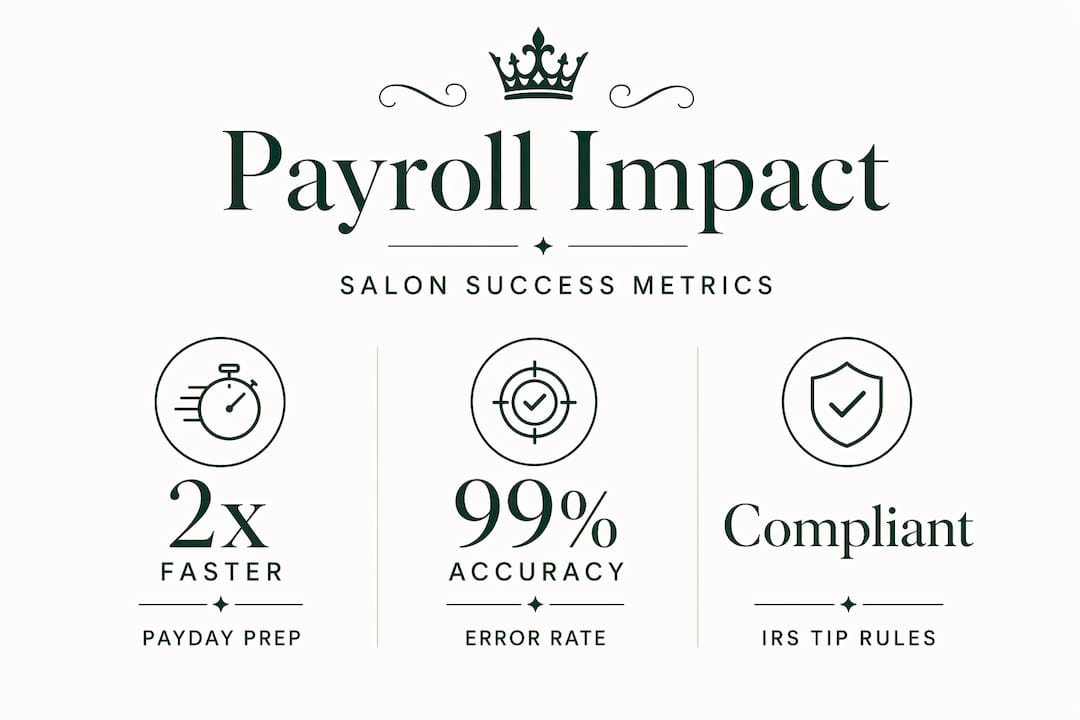
Consider what happens when payroll is wrong. A stylist notices her commission calculation is off by $40. She brings it to you. You spend 45 minutes pulling records, recalculating, and cutting a correction check. She tells two coworkers. Now three people are quietly wondering whether their pay is accurate. That kind of erosion in trust is hard to rebuild, and it starts with a single calculation error.
The financial risk on the penalty side is just as serious. State penalties for late wages include liquidated damages, interest, waiting time penalties, and fines that can multiply unpaid wage amounts rapidly. A $200 payroll error can become a $600 liability by the time penalties are calculated. Federal penalties for payroll tax errors compound the exposure further.
Here is what dedicated payroll software actually protects you from:
- Miscalculated commissions due to manual rate errors
- Missed overtime thresholds when schedules shift unexpectedly
- Incorrect tip allocation across pay periods
- Late tax deposits triggered by manual processing delays
- Payroll errors that trigger IRS and state penalties requiring formal amendment procedures
Pro Tip: Run a parallel payroll for your first two cycles when switching systems. Calculate pay both ways and compare. This catches configuration errors before they affect real paychecks.
The ROI of payroll automation extends well beyond the hours you save. The real return includes improved audit readiness and avoided correction cycles, not just administrative time savings. For a salon with 10 or more employees, the avoided penalty exposure alone often justifies the software cost within the first year.
What to look for in salon payroll software
Not all payroll software is built for how salons operate. Most general-purpose tools handle straightforward hourly or salaried employees well. Salons are neither of those things. When evaluating your options, focus on these capabilities:
- Multi-rate pay per employee: Your system must handle one employee working multiple roles at different rates within the same pay period, without requiring manual overrides
- Tip integration from POS: Tips should flow directly from your point-of-sale system into payroll, separated by type and mapped to the correct employee and pay period
- Commission calculation engine: Look for configurable commission tiers that match your actual structure, whether that is a flat percentage, tiered by revenue, or split between services and retail
- State compliance rules: The system should apply the correct overtime, break, and minimum wage rules for your state automatically
- Scheduling integration: When your schedule and payroll talk to each other, you eliminate double data entry and the errors that come with it
- Human support access: When something goes wrong close to payday, you need a real person who understands payroll, not just a chatbot
| Feature | Why it matters for salons |
|---|---|
| Multi-role pay rates | Stylists often work multiple roles per shift at different rates |
| POS tip integration | Required for accurate 2026 W-2 tip reporting |
| Commission engine | Flat percentage structures fail when tiers or retail splits apply |
| State compliance rules | Break and overtime laws vary significantly by state |
| Scheduling link | Prevents double entry errors between booking and payroll data |
| Human support | Payroll issues close to payday require fast, knowledgeable help |
Salon payroll systems built specifically for the industry link schedules directly to payroll, automate multi-pay calculations, and handle tax compliance by state. That specificity is what separates a tool that works from one that creates more problems than it solves.
How to implement payroll software in your salon
Getting payroll software right is mostly about what you do before you run your first payroll. The most time-consuming issues stem from improper tip and role data capture, not the calculations themselves. Here is a practical sequence to follow:
- Map your pay structures first. List every employee, their role or roles, their pay type, and their rate. Include commission tiers, tip handling procedures, and any state-specific rules that apply to your location.
- Audit your POS integration. Confirm that your point-of-sale system can export tip data by employee, by transaction, and by type. If it cannot, solve that before you set up payroll.
- Configure employee profiles carefully. Assign the correct roles, rates, and tipped occupation codes to each employee. This is the step most salons rush, and it is where most errors originate.
- Train your team on time tracking. If your new system uses clock-in and clock-out data to drive payroll, your staff needs to understand how to use it correctly from day one.
- Run a test payroll cycle. Process a full payroll run without actually paying anyone. Compare the outputs to your previous records and verify that tip allocations, commissions, and tax withholdings match expectations.
- Monitor the first two live cycles closely. Even after a clean test, real-world conditions surface edge cases. Check every paycheck in the first two cycles and resolve discrepancies immediately.
The goal during implementation is not speed. It is accuracy. A clean setup takes longer upfront but saves you from the kind of corrections that require Forms 941-X and W-2c to fix after the fact.
My honest take on payroll software for salons
I've talked with enough salon owners to know that payroll is the operational task most of them dread, and most of them underestimate. What surprises me is how often the pain is not the payroll itself. It is the trust damage that happens when an employee gets paid wrong twice in a row.
What I've learned is that the choice of payroll software is really a decision about how seriously you take your team's financial wellbeing. A system that handles tips sloppily or misses commission tiers is not just a compliance risk. It signals to your staff that their pay is not a priority. That affects retention in ways that are hard to measure but very real.
The uncomfortable truth I've seen play out is that salon owners who try to manage payroll with generic tools or manual processes are not saving money. They are deferring costs. The penalties, the correction cycles, the staff turnover tied to payroll frustration. Those costs show up eventually, just not on the day you decide to skip the software subscription.
My take on the 2026 IRS changes specifically: the new tip reporting requirements are not a burden to manage around. They are a forcing function to get your payroll infrastructure right. Salons that set up clean POS-to-payroll workflows this year will be in a far stronger position for any future compliance changes, because the foundation will already be solid.
— Say-Salon
How Say-salon handles salon payroll for you
Managing payroll across tips, commissions, and multiple roles takes a system built for how salons actually work, not how generic businesses do.
Say-salon's SAY-OS platform connects your bookings, scheduling, and payroll in one place, so tip data flows from your point-of-sale directly into payroll without manual entry. Multi-role pay rates, commission calculations, and 2026 IRS tip reporting requirements are handled automatically. You get clean W-2 data, accurate FICA tip credit tracking, and the kind of audit-ready records that protect your business if questions ever arise. Whether you are running a single location or growing into multiple chairs and multiple stylists, start with SAY-OS and spend your time on clients, not calculations.
FAQ
Why do salons need specialized payroll software?
Salons combine hourly wages, commissions, and tips across employees who often work multiple roles in a single shift. Generic payroll tools are not built to handle that complexity accurately or in compliance with salon-specific state labor laws.
What are the 2026 IRS tip reporting changes for salons?
Starting in 2026, employers must report cash tips using code "TP" in Box 12 and include Treasury Tipped Occupation Codes in Box 14b on employee W-2 forms. Missing these codes can disqualify your tip-related tax deductions.
How does payroll software help with the FICA tip credit?
Tips must enter payroll with the correct employee role and pay period mapping to qualify for the FICA tip credit. Software that integrates with your POS handles this automatically and prevents the compliance gaps that come from cash tip payouts made outside of payroll.
What happens if salon payroll is late or incorrect?
State penalties for late or incorrect wage payments can include liquidated damages, interest, and waiting time penalties that multiply the original unpaid amount. Federal penalties for tax deposit errors add further financial exposure.
How long does it take to implement payroll software in a salon?
Most salons need two to four weeks to configure employee profiles, integrate POS data, and run a test payroll cycle. Rushing the setup is the most common cause of errors in the first live payroll run.